
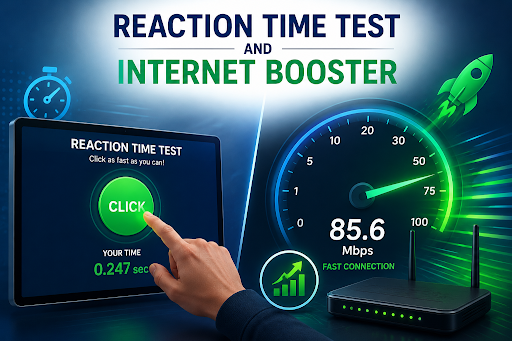
Every gamer knows the feeling: a split second delay costs the round, the kill, or the match. Whether you’re grinding ranked matches in a competitive shooter or just curious about how fast your brain and hands work together, reaction speed has become something people actively want to measure and improve. But there’s a piece of the puzzle that often gets overlooked: your hardware and network setup play just as big a role in how “fast” you feel as your actual biology does.
Understanding Reaction Time
Reaction time is the gap between a stimulus appearing and your physical response to it. In gaming terms, it’s the difference between spotting an enemy and pulling the trigger. In everyday terms, it’s how quickly you hit the brakes when a car cuts in front of you.
Most people fall somewhere between 200 and 300 milliseconds on a simple visual reaction test, though this varies with age, alertness, and task complexity. Younger adults in their twenties tend to post the fastest numbers, while reaction speed gradually slows with age due to natural changes in the nervous system. Fitness, sleep quality, and stress levels also shift the numbers — a well-rested brain simply processes visual cues faster than a fatigued one.
If you’re curious where you stand, a reaction time test is the simplest way to find out. These tools work by displaying a visual cue and timing how quickly you respond, then averaging your results across multiple attempts. It’s a quick, free way to establish a personal baseline, track improvement over weeks of practice, and compare your reflexes against general benchmarks used by gamers, athletes, and researchers alike.
The Hidden Variable: Your Hardware and Connection
Here’s what a lot of people don’t realize when they take a reaction time test and get a disappointing score: the result isn’t purely about biology. Your monitor’s refresh rate, your mouse’s polling rate, and critically your internet connection all introduce their own delays before your click even registers.
This is where the distinction between reaction time and input lag becomes important. You might genuinely react in 180 milliseconds, but if your network is congested or your drivers are outdated, that response can arrive late, skewing your test results and, more importantly, your actual in-game performance. A sluggish connection doesn’t just slow down downloads it adds real latency to every click, keystroke, and movement you make online.
Why an Internet Booster Belongs in Every Gamer’s Toolkit
This is where a dedicated internet booster earns its place in a serious setup. Unlike basic router settings, a proper internet booster works at the software level to optimize how your PC handles network traffic, prioritizing the applications that need speed most.
A few things a good internet booster typically handles:
- Bandwidth prioritization: Automatically detecting active apps and allocating more bandwidth to the ones running in the foreground, while throttling background downloads or updates that would otherwise eat into your connection.
- Lower latency for real-time tasks: Fine-tuning network settings to reduce ping, which matters enormously for competitive gaming, video calls, and live streaming where every millisecond counts.
- Browser and connection tuning: Adjusting TCP/IP settings across Chrome, Firefox, Edge, and other browsers to keep page loads and downloads consistently fast, even during peak usage hours.
- Real-time monitoring: Giving you visibility into your actual upload and download speeds so you can see, not just guess, whether your optimizations are working.
Tools like IObit’s internet booster built into Advanced SystemCare are designed around exactly this workflow, cutting lag, stabilizing connections during heavy multitasking, and keeping your network responsive whether you’re streaming in 4K, downloading a large file, or queued up for a ranked match.
Bringing It Together: Reflexes and Infrastructure
Improving your reaction time is a two-part project. The first part is genuinely physical: getting enough sleep, staying active, managing stress, and practicing with drills that train hand-eye coordination. Regular use of a reaction time test can help you track whether these habits are actually paying off, giving you concrete numbers instead of a vague sense of “feeling sharper.”
The second part is environmental, and it’s the part people tend to ignore. No amount of reflex training will show up in your results or your gameplay if your network is adding hidden delays before your input even reaches the game server. Pairing consistent reaction practice with a properly optimized connection through an internet booster closes that gap, ensuring the speed you’ve trained for actually translates into performance.
For competitive gamers especially, this combination matters. A player with excellent reflexes but a poorly optimized PC and connection will consistently be outpaced by an opponent with average reflexes and a clean, low-latency setup. Reaction time gets the attention because it feels personal and measurable, but the infrastructure behind it is just as decisive.
Final Thoughts
Whether you’re testing your reflexes out of curiosity or fine-tuning your setup for competitive play, it pays to look at the full picture. Start by measuring where you stand with a quick reaction time test, then take a hard look at what might be silently slowing you down on the network side. Combining sharp reflexes with a stable, optimized internet connection is the real formula for staying competitive online and off.
Read also: The Power of Asiaks: Transforming Words for Next-Level Branding and SEO